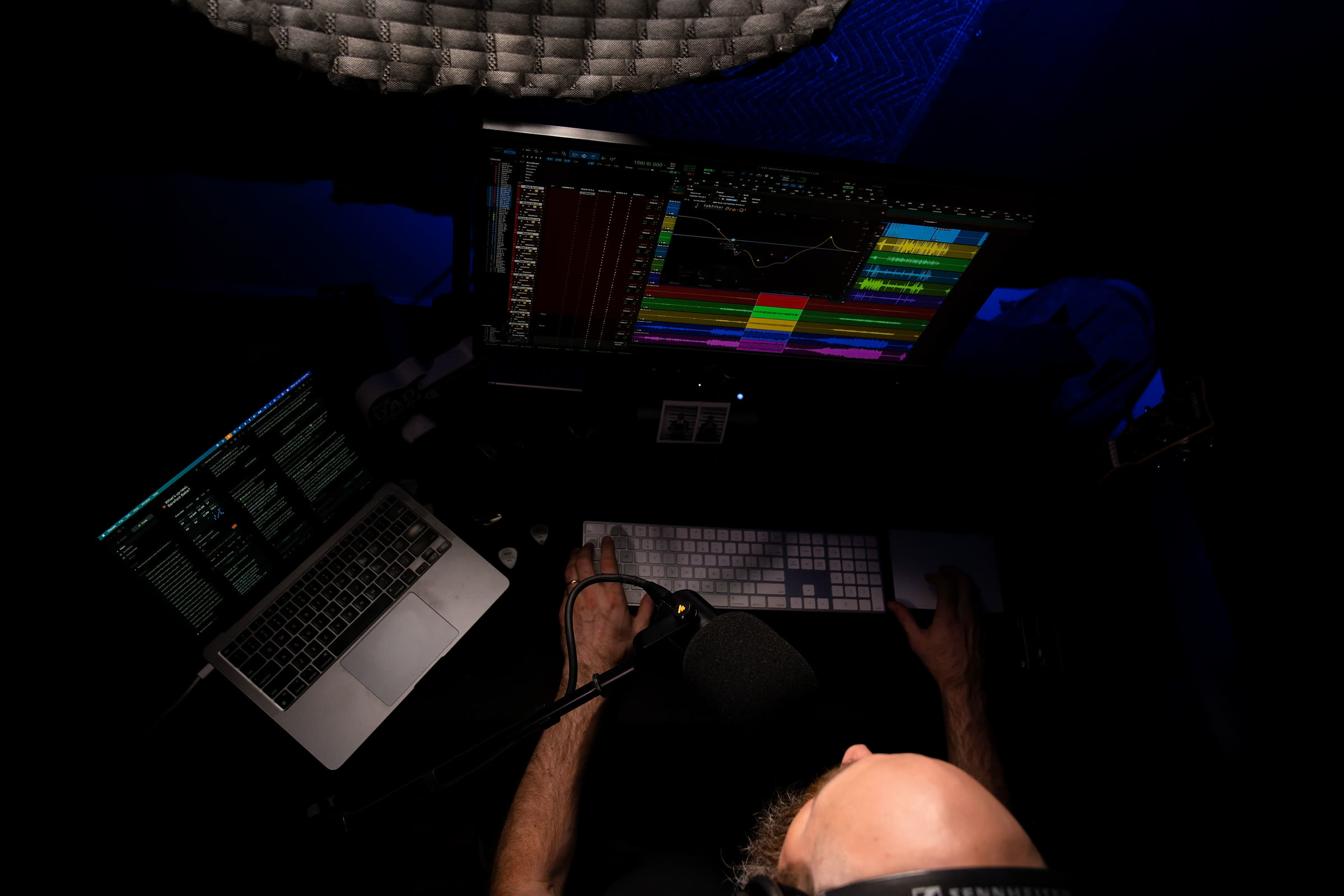





Drop in your multitracks. Open a session that’s ready to mix.
Watch how it works 90 seconds62 files, named the way they landed. One tap.
That was a real session.Do yours tonight.
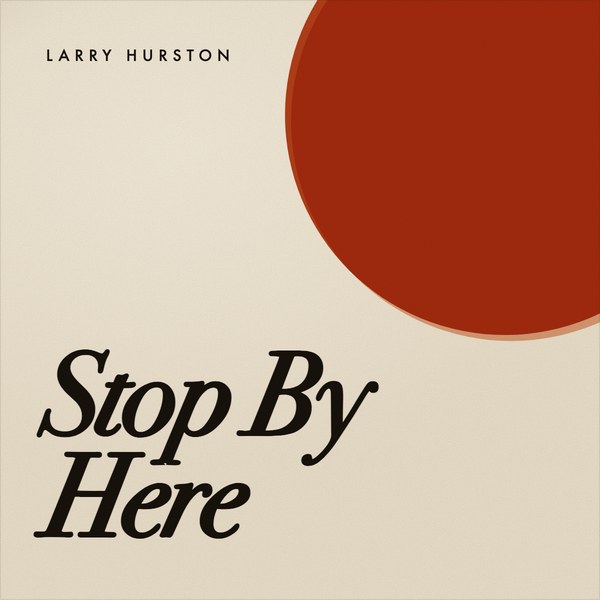
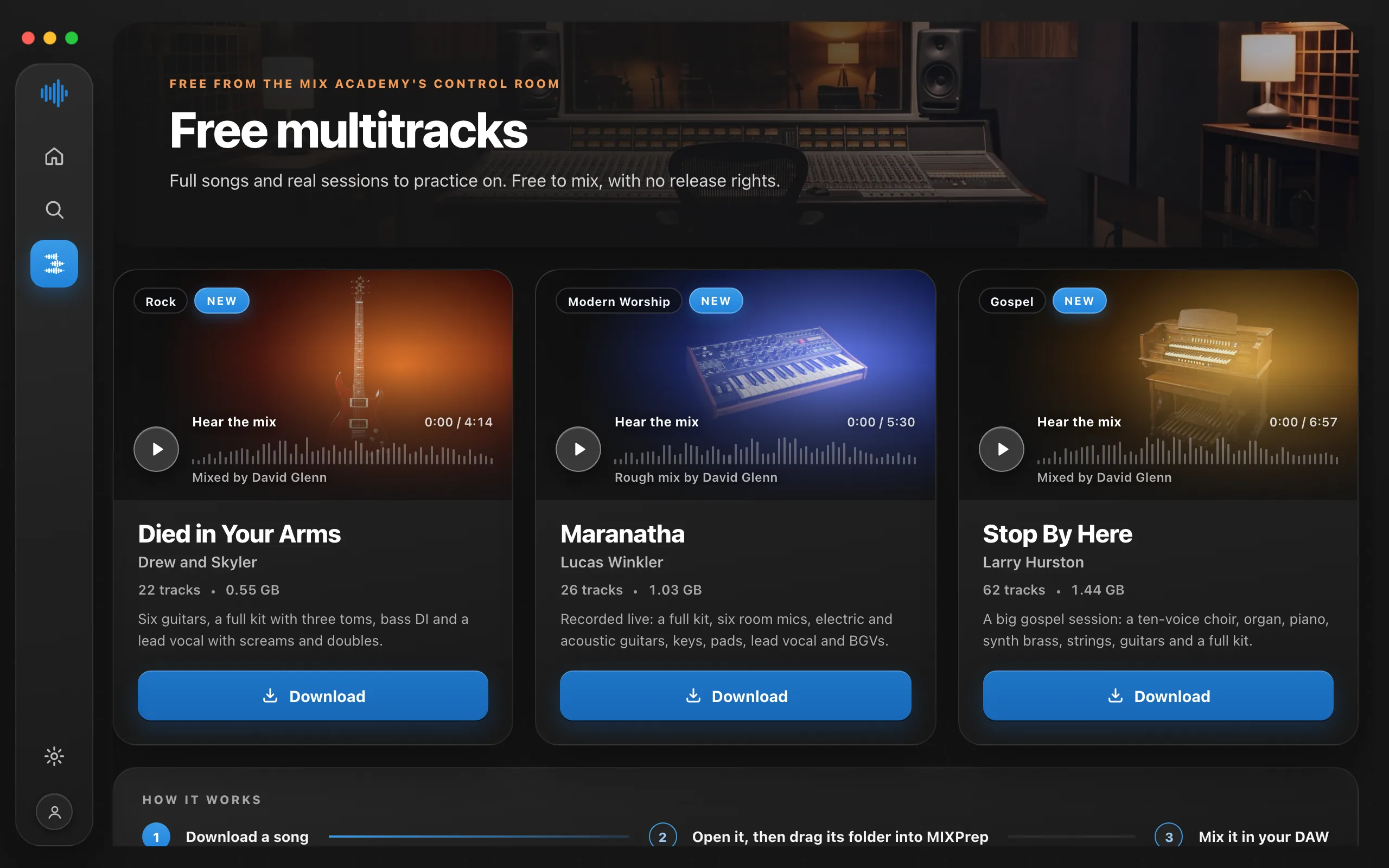
See the plansA real session: Stop By Here, Larry Hurston. 62 multitracks with the names left messy, the way sessions land in your inbox. It comes with the free trial.
30-day money-back guarantee
For Mac with Apple Silicon. Windows is on the way.
Runs on your Mac. Buy here and the download waits in your email.
“I really enjoy your product MixPrep, it has indeed saved me lots of time.”
Where you’ve seen my work
From engineers using it
Same sessions, same clients. Now the names, the order and the gain are done before you sit down.
“Incredible new features are constantly dropping, and the brand-new GUI is both gorgeous and highly functional. It’s an absolute game-changer for session prep!”
Jacki B., songwriter“It handled a session that previously took about 14 minutes in less than 4! Zero hangups or warning menus. Absolutely killer!”
MIXPrep 1.6about 14 min→2.0under 4 min→Todayseconds
Robin V., MIXPrep owner, on going from 1.6 to 2.0“I really enjoy your product MixPrep, it has indeed saved me lots of time.”
Frank Jordan, producer and engineer, Quest Music Production“Mixprep is freakin Awesome!!! Great tool!!!”
Jeff Baggett, mastering engineer, Franklin Mastering“This new version is sick........ What???????”
Mixbygybriel, in our Discord“Take my money, I’m not even looking for a discount.”
Ben Rico, audio engineer and producer“The upgrades are amazing. Really appreciate it.”
“Great program btw love it!”
Included with the free trial
Real multitracks with messy names, the way they land in your inbox. Drop one into MIXPrep, watch it come out named, sorted and leveled, then mix it your way. Each one comes with a finished mix to check yours against.
No card. Pick a song when your trial starts and MIXPrep downloads it for you. No zip hunting.
How it works
No more renaming, sorting and gain staging by hand. That’s the part of the job nobody got into this for.
Watch it in the real app 90 secondsWhatever the client sent. Zipped sessions welcome: MIXPrep unpacks them for you.
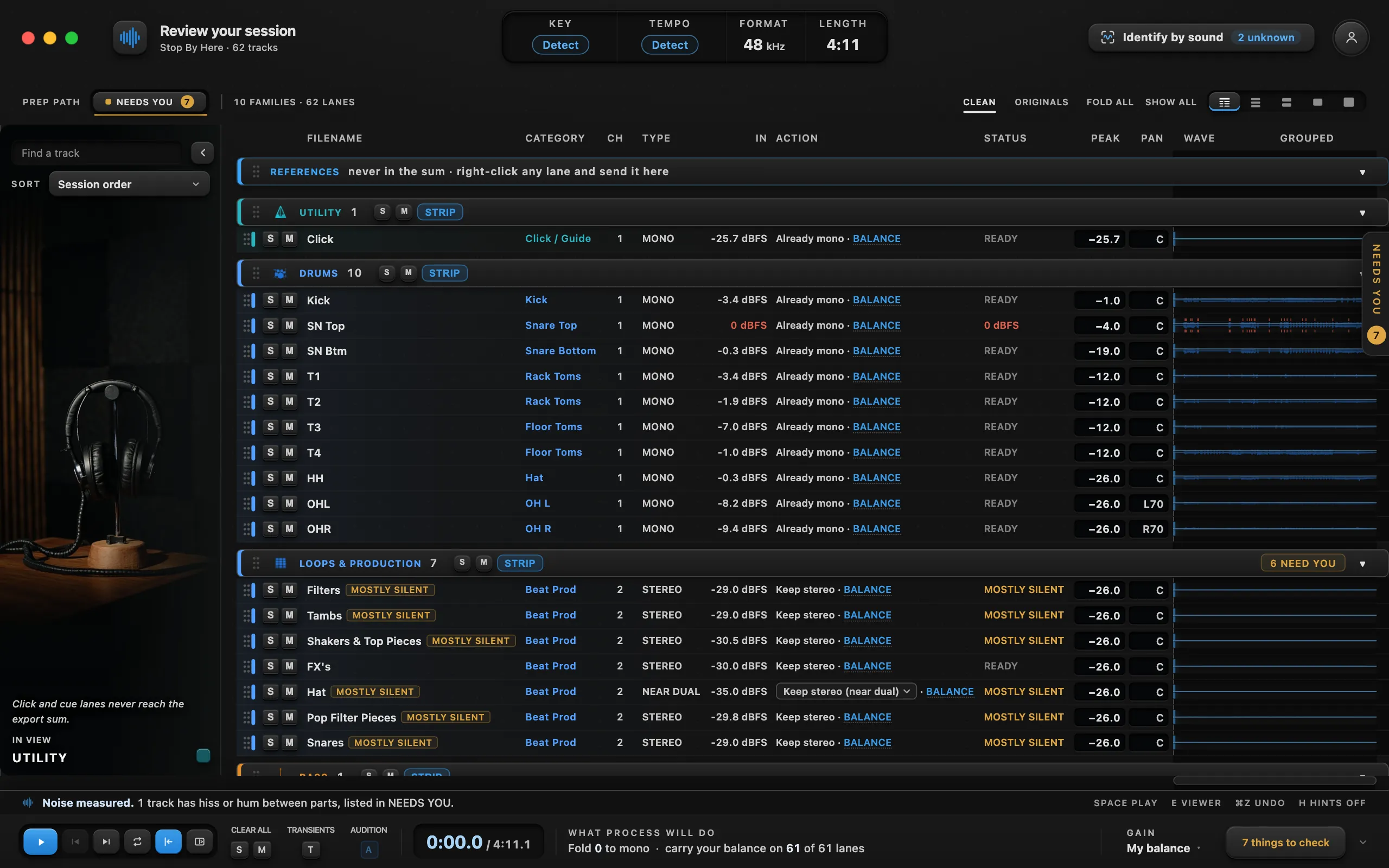
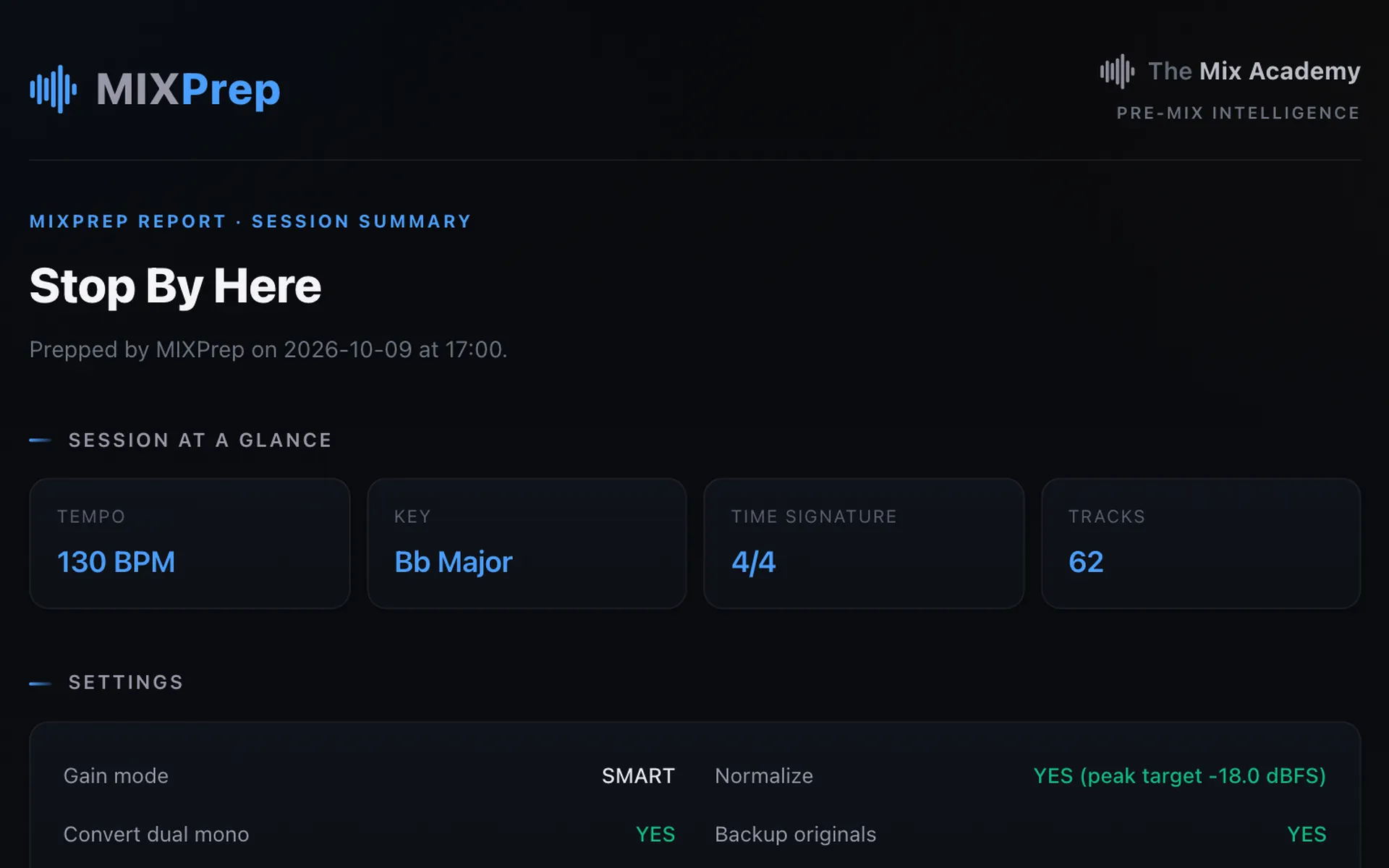
MIXPrep names every track, sorts it into mix order and gain-stages your session. One click finds the key and tempo. What it can’t name, it flags for you instead of guessing.
Your session is ready before you hear a note. Your originals are never touched: MIXPrep works on organized copies.
Inside the app
Real screens from the app, not mockups.
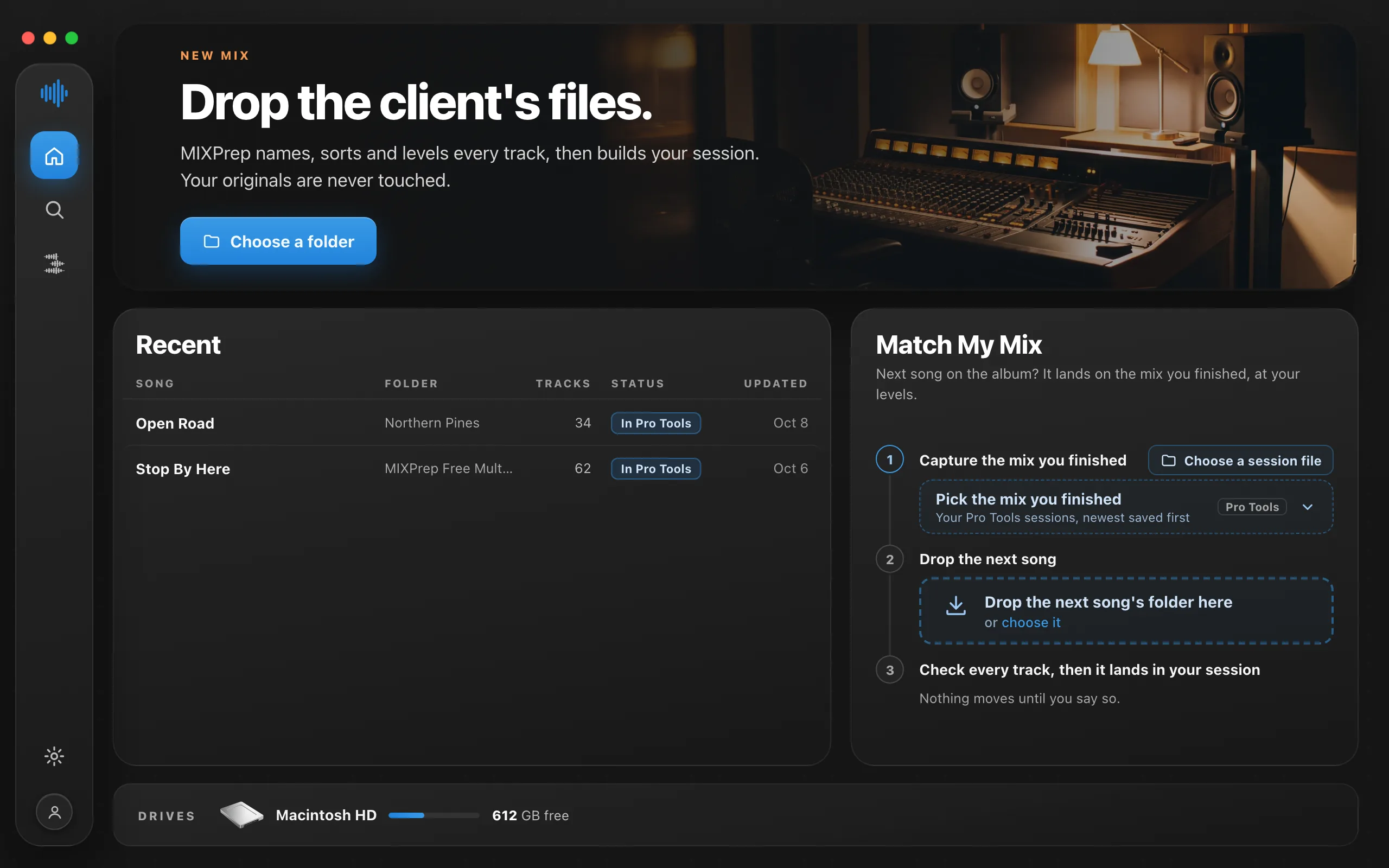
Home. Drop the client’s files. Your recent sessions and Match My Mix are right there.
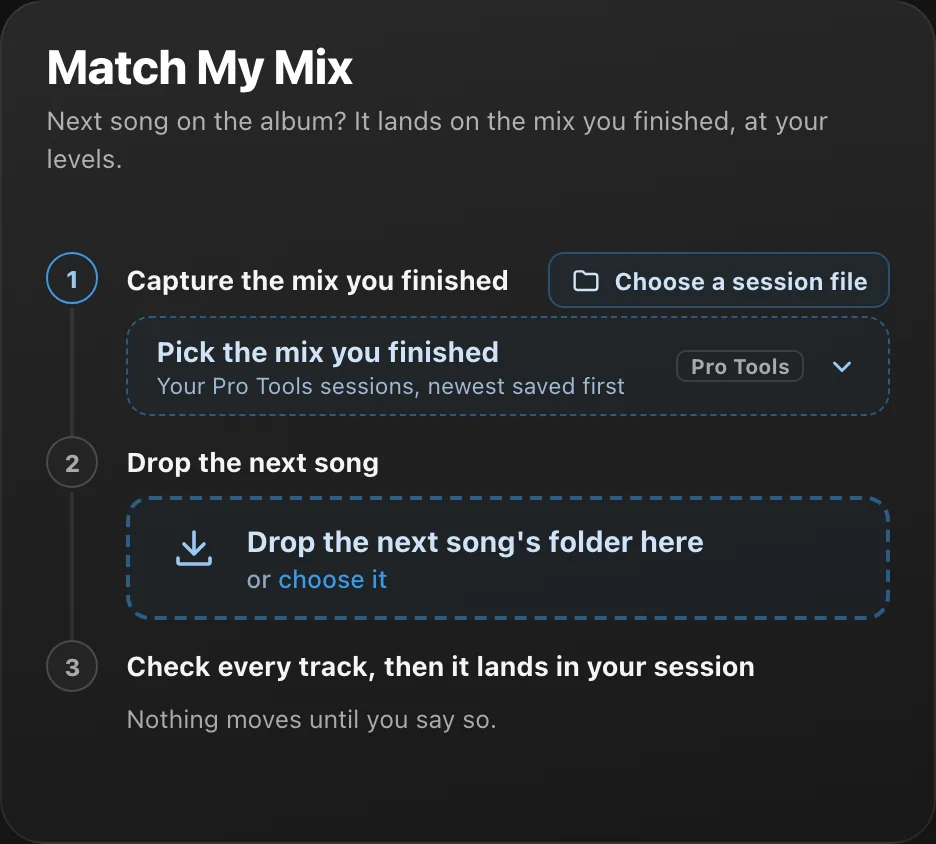
Match My Mix
Pick the Pro Tools session you finished. Drop in the next song’s files. MIXPrep sets every new track at the level of the one it replaces and puts it right into your session, with your plug-ins, routing and track order still there. Your automation stays with the first song, because every song needs its own moves.
Your Pro Tools sessions, newest saved first.
The folder the artist sent, messy names and all.
Nothing moves in your session until you say so.

Match My Mix and Send to DAW work with Pro Tools first. Every DAW gets the prepped session.
And the small things
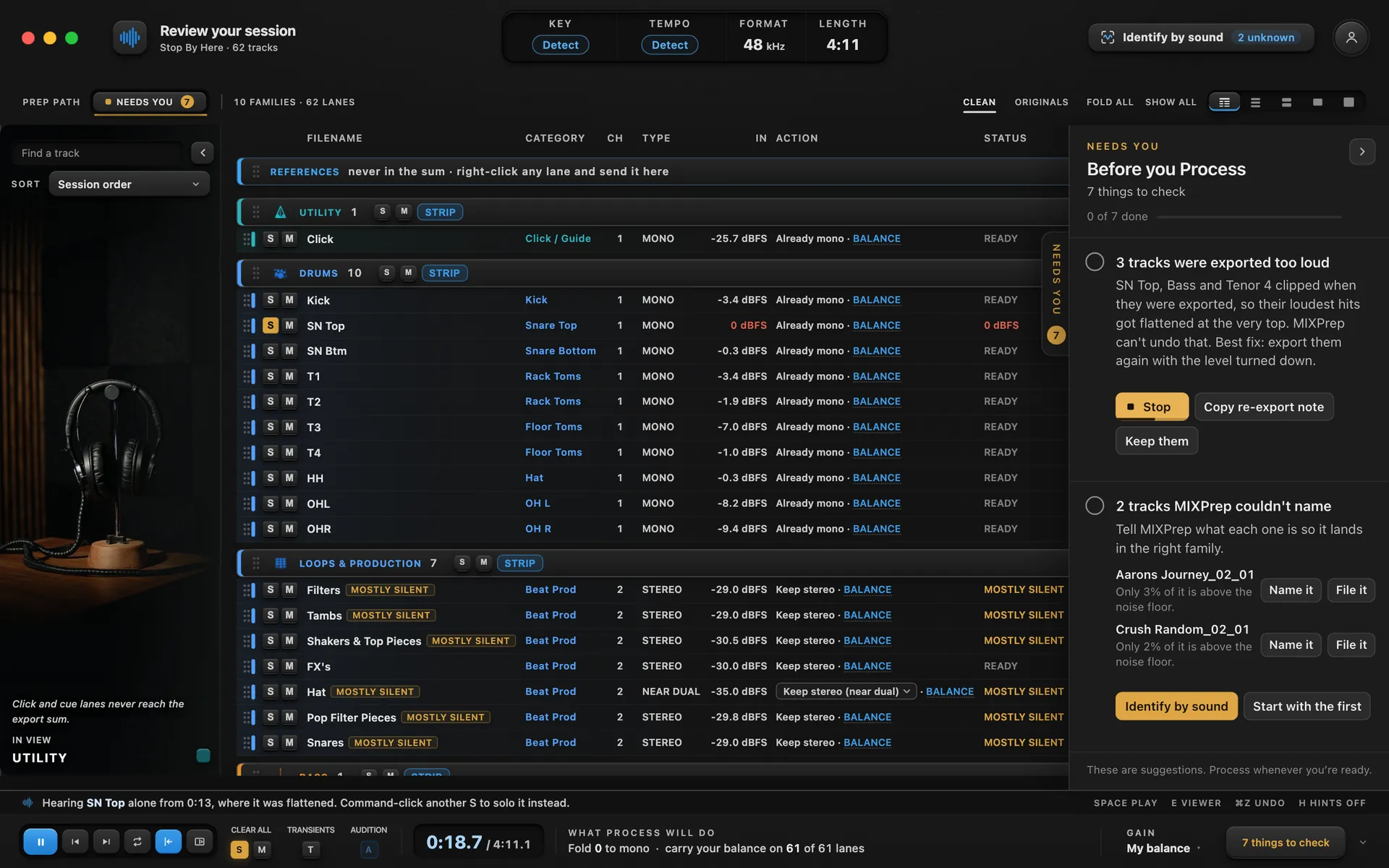
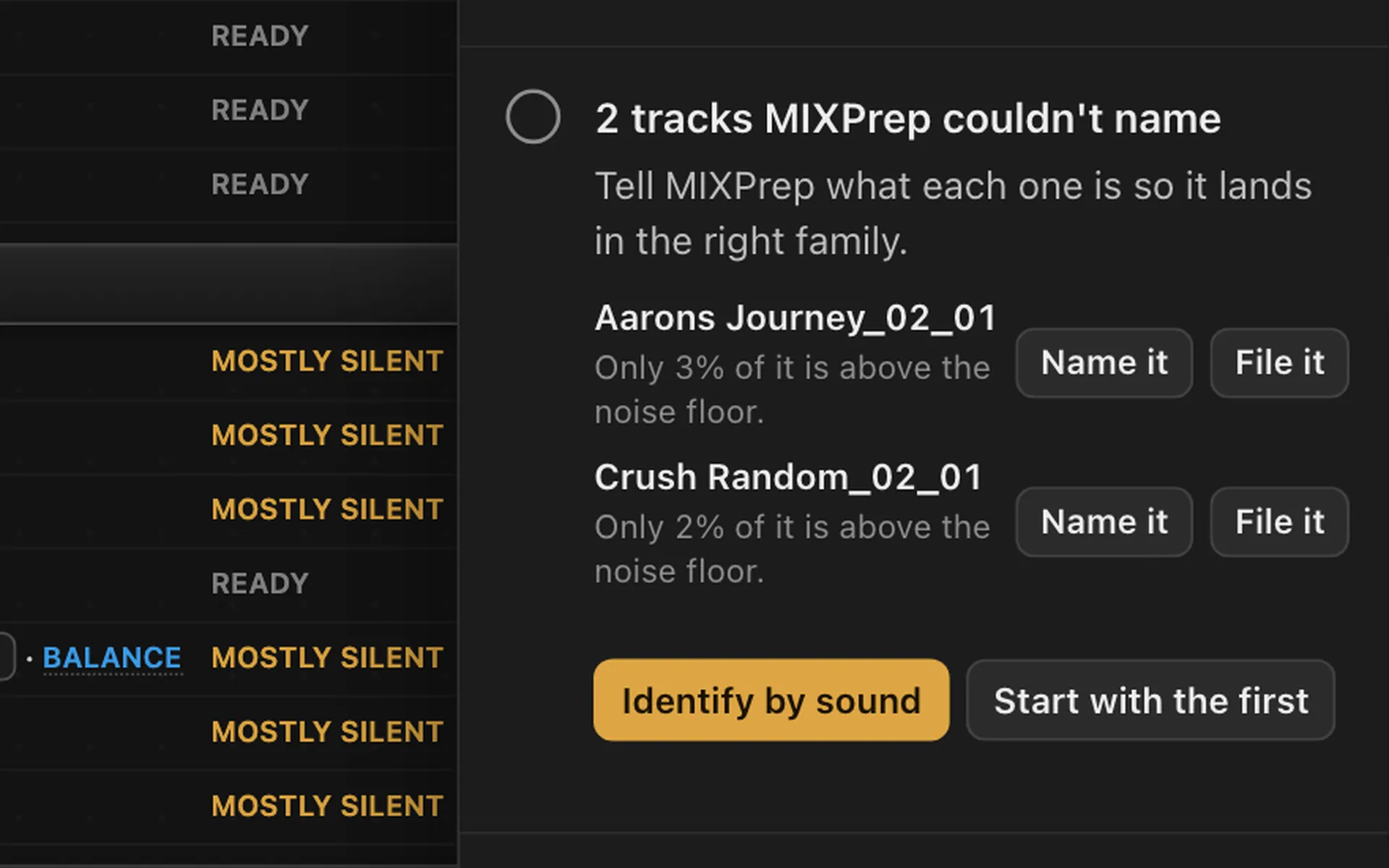
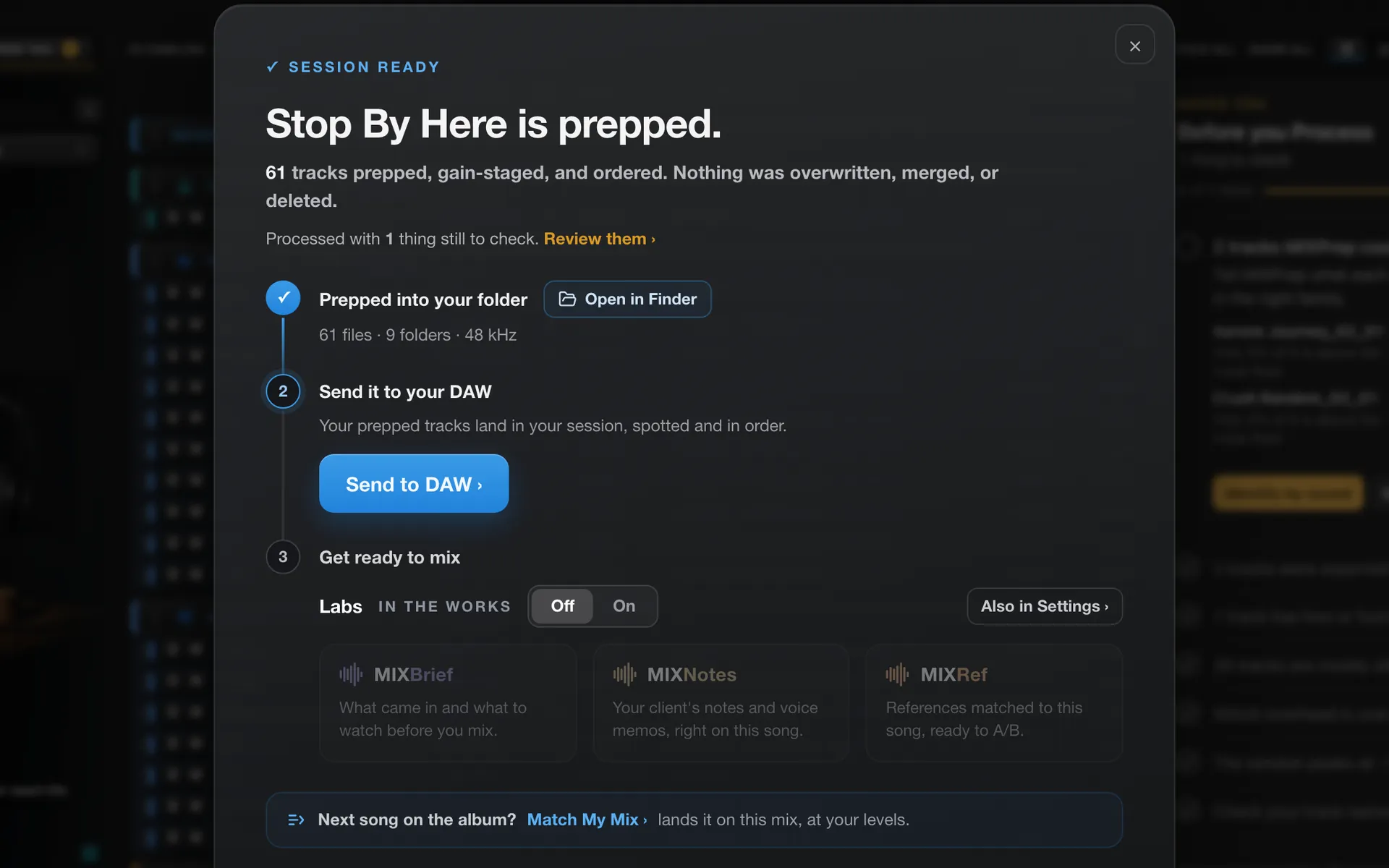
The real calls MIXPrep raised on Stop By Here. Each one has a one-tap answer, and nothing prints until you say so.

“Hearing SN Top alone from 0:13, where it was flattened.”

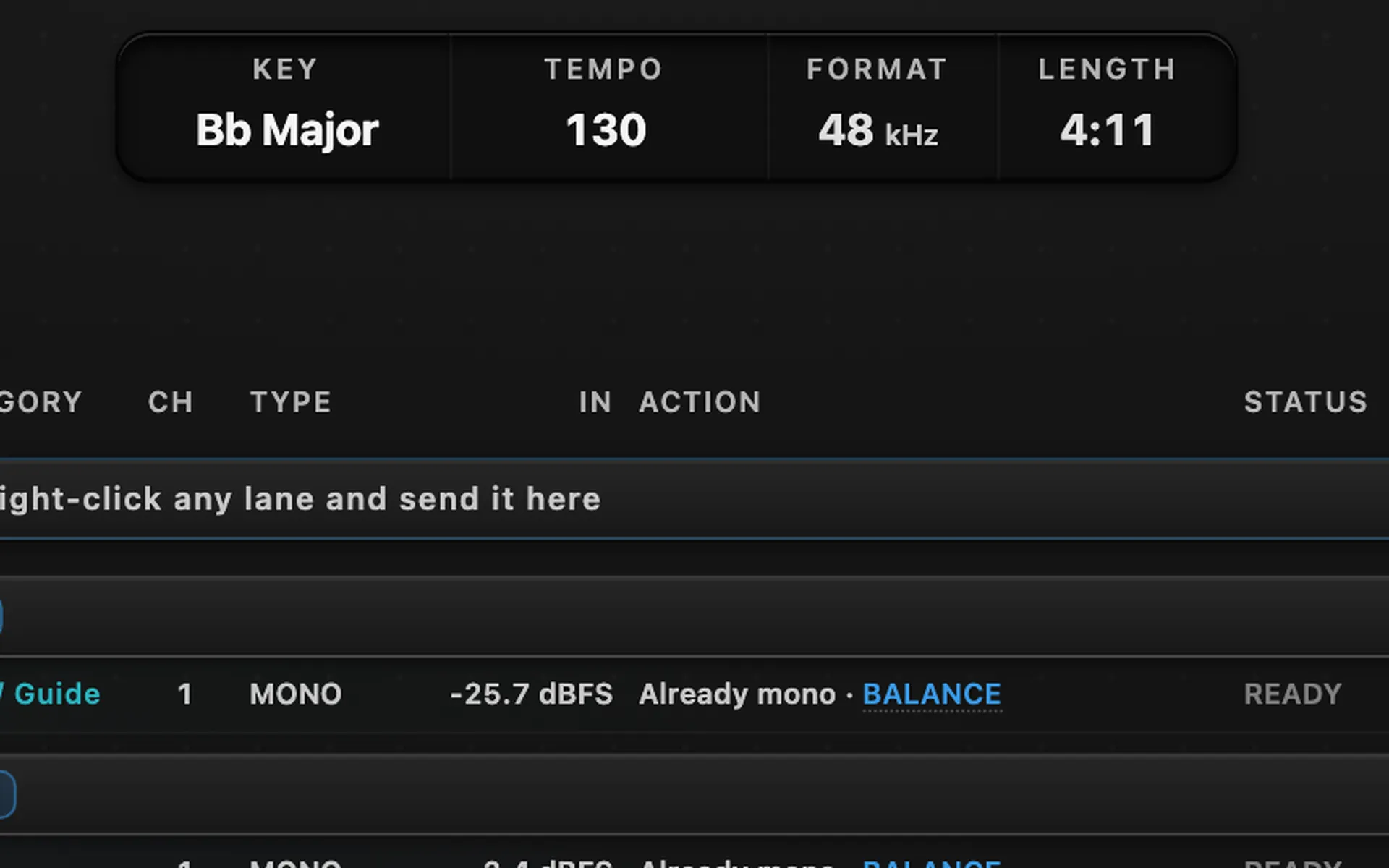
Click Detect and MIXPrep finds the key from the audio, and the tempo from the audio or the file names. No tapping along.

Once Detect finds the key, Process saves the key and tempo as a MIDI file in your prepped folder. Drag it onto a MIDI track in Pro Tools or Logic.

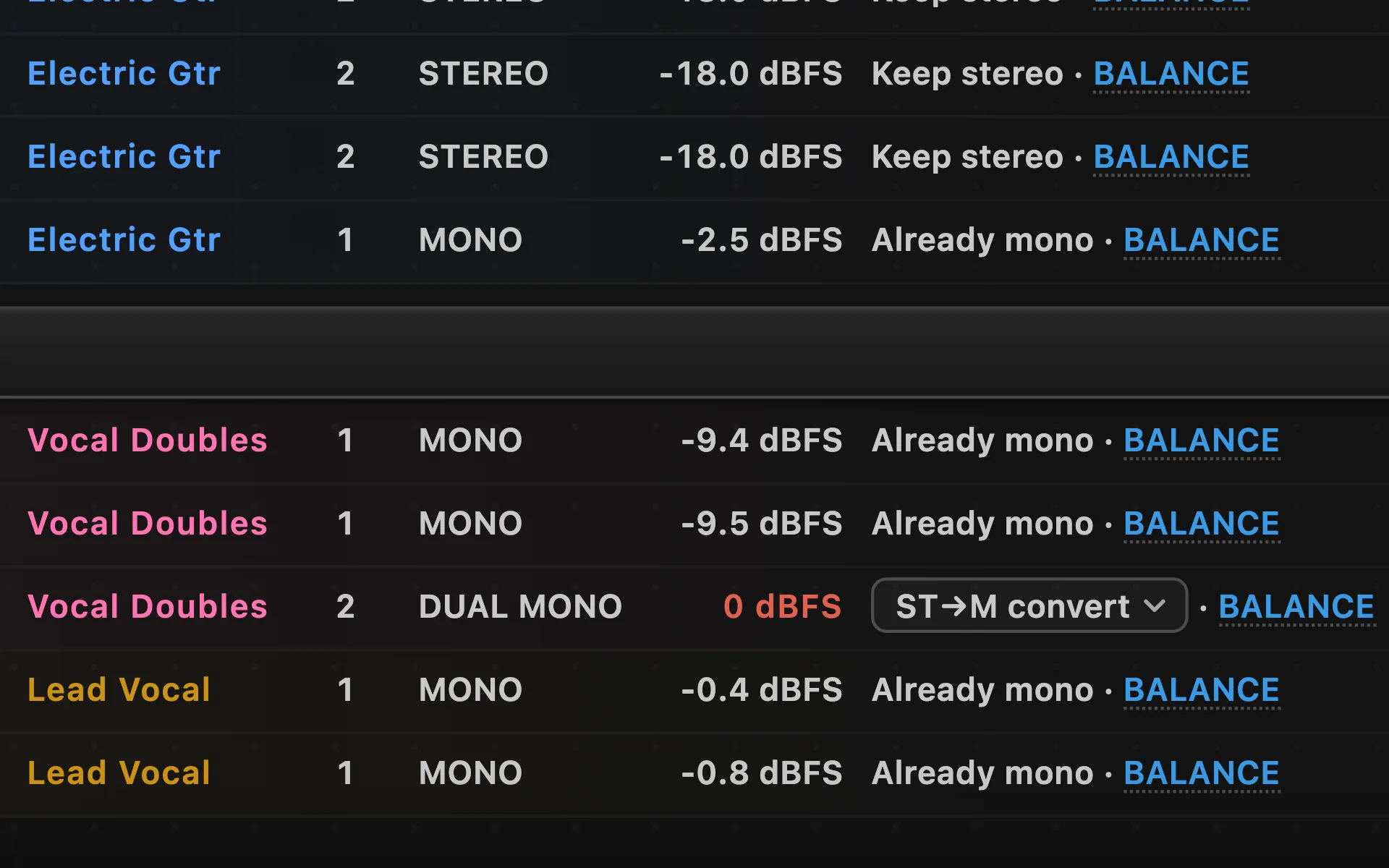
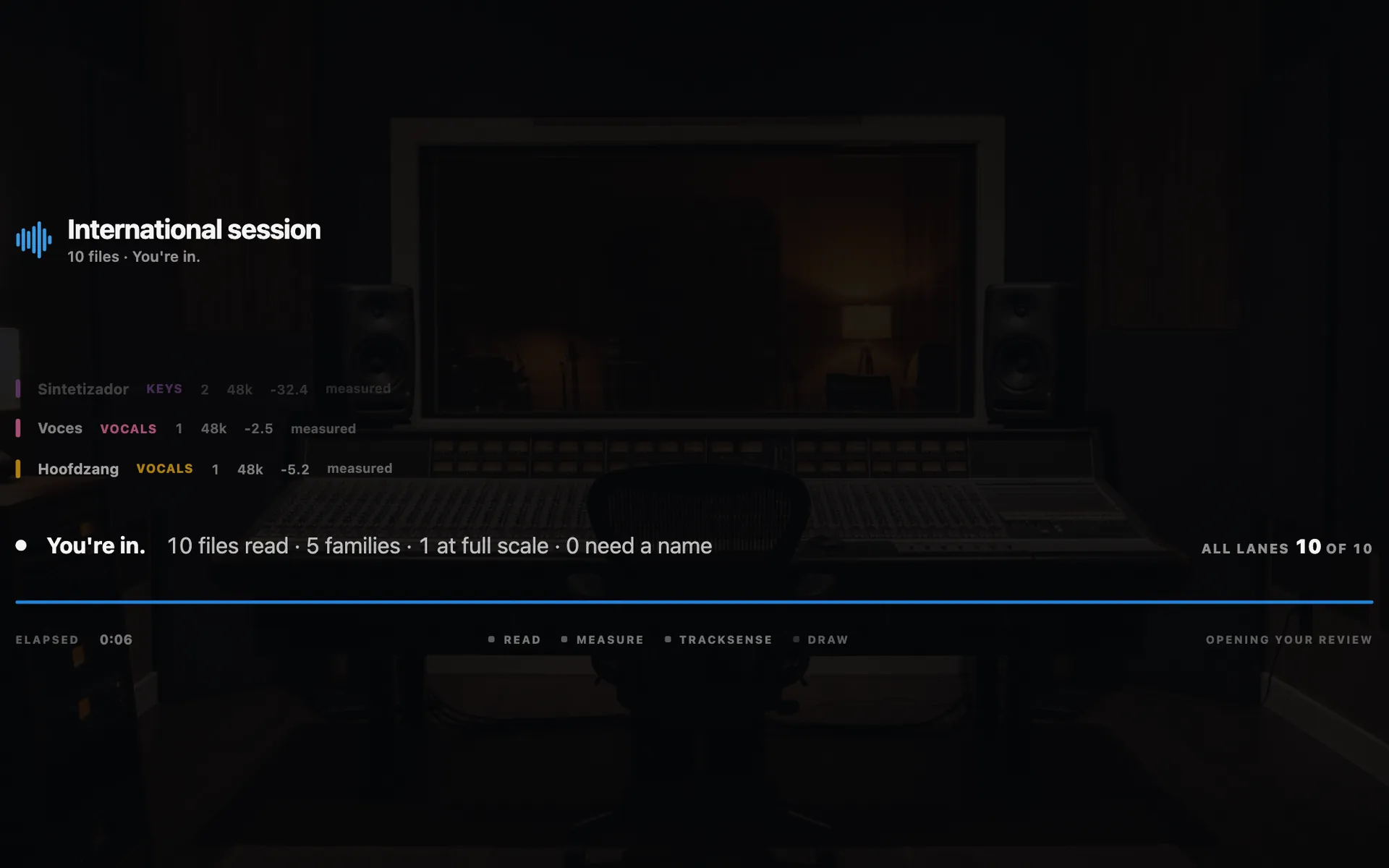
Platillos, Chitarra Acustica, Hoofdzang: track names in Spanish, Italian, Dutch and 15 more languages still land in the right family.

When MIXPrep can’t tell what a track is, it says so and asks you. File it once and MIXPrep files that name the same way next time.

Session prep runs on your Mac. Process writes organized copies, and nothing is overwritten, merged or deleted.
Included in every plan
MIXRef, MIXBrief and MIXNotes are still being built. As a member you don’t wait for them: they come with MIXPrep, so turn on Labs in Settings and use them on your own sessions. When each one is finished, it stays in your plan at the price you already pay.
Tools we are still building. Turn this on to try them early and tell us what you find.
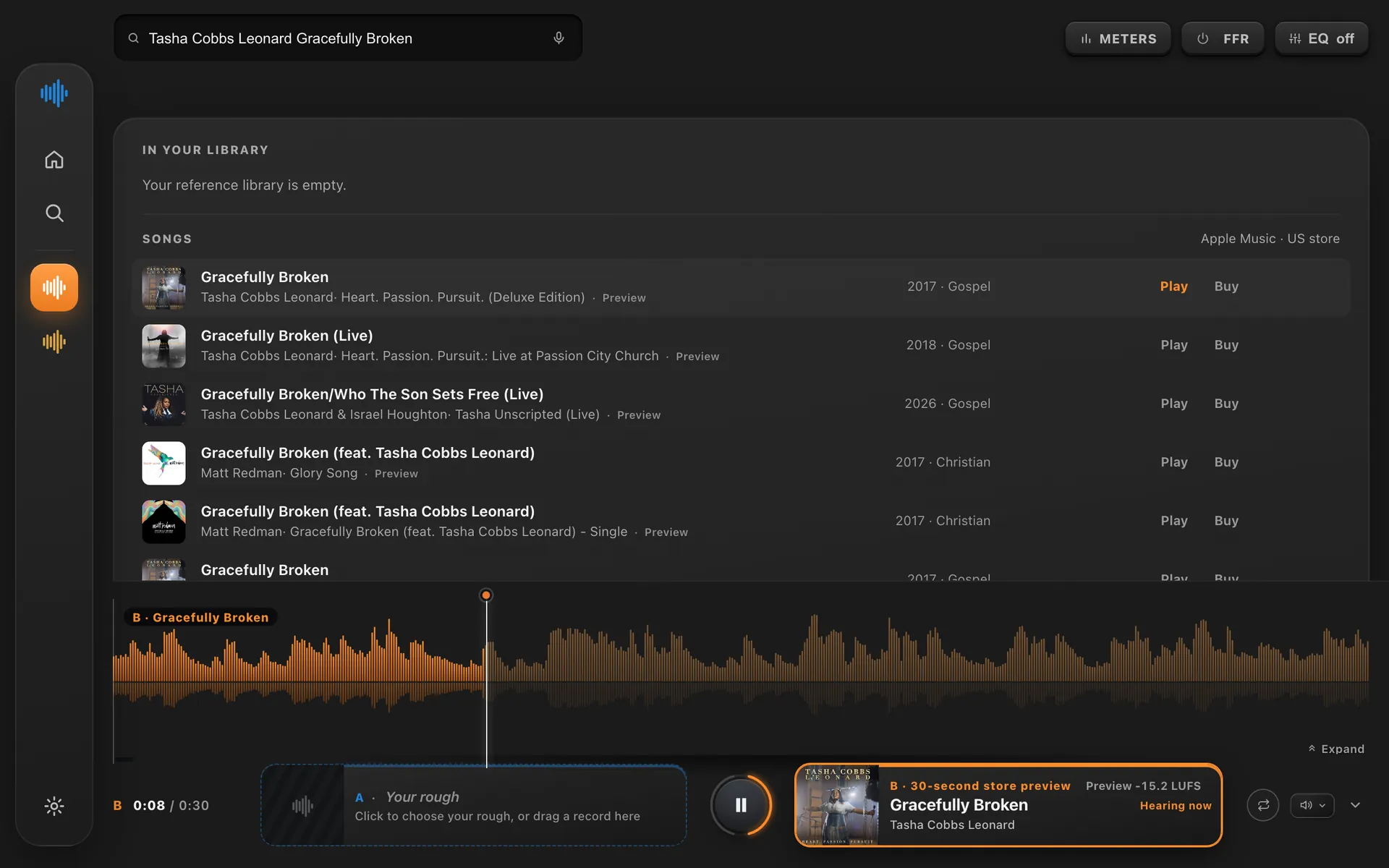
References matched to your song.Real records, never an invented title. Level-matched, so the louder one can’t win the argument.

Hear where your mix sits, then buy the record if it’s the one.
Your session, read before you open the DAW.Whether it’s ready to mix, which calls are yours, and what can wait until you get there.

MIXBrief reads the whole session before you open your DAW.
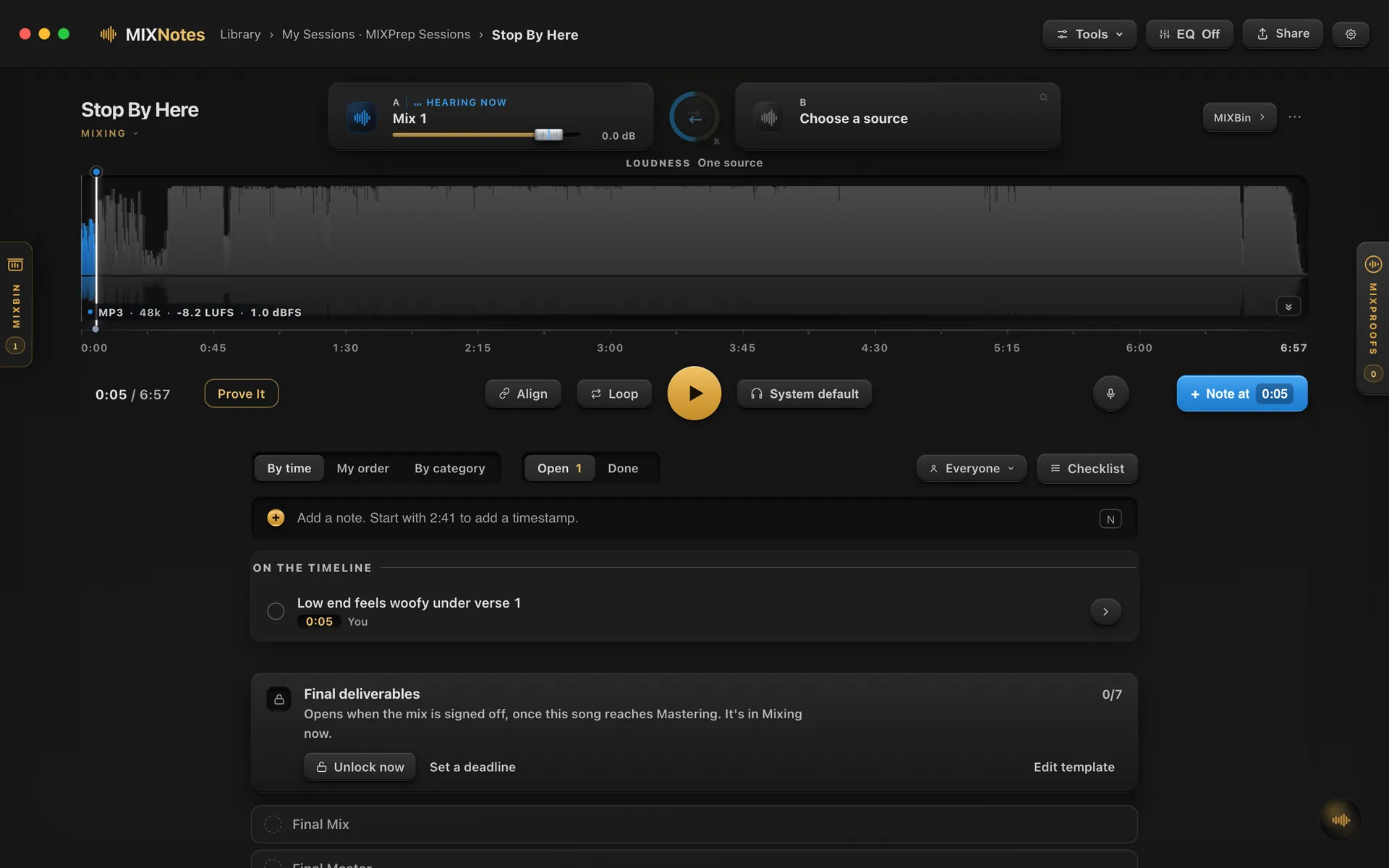
Your notes, living on the playhead.“Low end feels woofy under verse 1” lives at 0:05 until you fix it. Voice memos transcribe on your Mac, and my mixing checklist is built in.

Now “Low end feels woofy under verse 1” lives at 0:05 until you fix it.
What’s new
Coming next: Windows, Match My Mix for more DAWs, and MIXRef, MIXBrief and MIXNotes, which members already use early in Labs.
Your time back
That’s 13 working days, worth $5,200 of your time.
MIXPrep Annual is $149$199 a year.At 60 minutes a session, the low end of the 60 to 90 minutes MIXPrep gives back.
Pricing
Founding prices end Sunday, October 18 at 11:59pm PT. Lock in $19 a month or $149 a year for as long as you stay, or own it for $497. Then it’s $29, $199 and $697.
Every plan is all of MIXPrep, and every dollar is covered for 30 days.
Founding price, locked while you stay. Cancel anytime.$29 after Oct 18Cancel anytime.
Get MonthlyThat’s $12.42 a month. Save $79 a year, locked while you stay.$199 after Oct 18That’s $16.58 a month. Save $149 a year.
Get AnnualNot ready to pick? Try every feature free for 7 days. No card.
The First Session Promise
Email me within 30 days of paying and I’ll refund you. No questions, no hoops.
Secure checkout by StripeThe First Session Promise: 30 days, every dollar backAlready own MIXPrep? It’s still yours. Ask about moving up

Built by a mixer who knows where the time goes
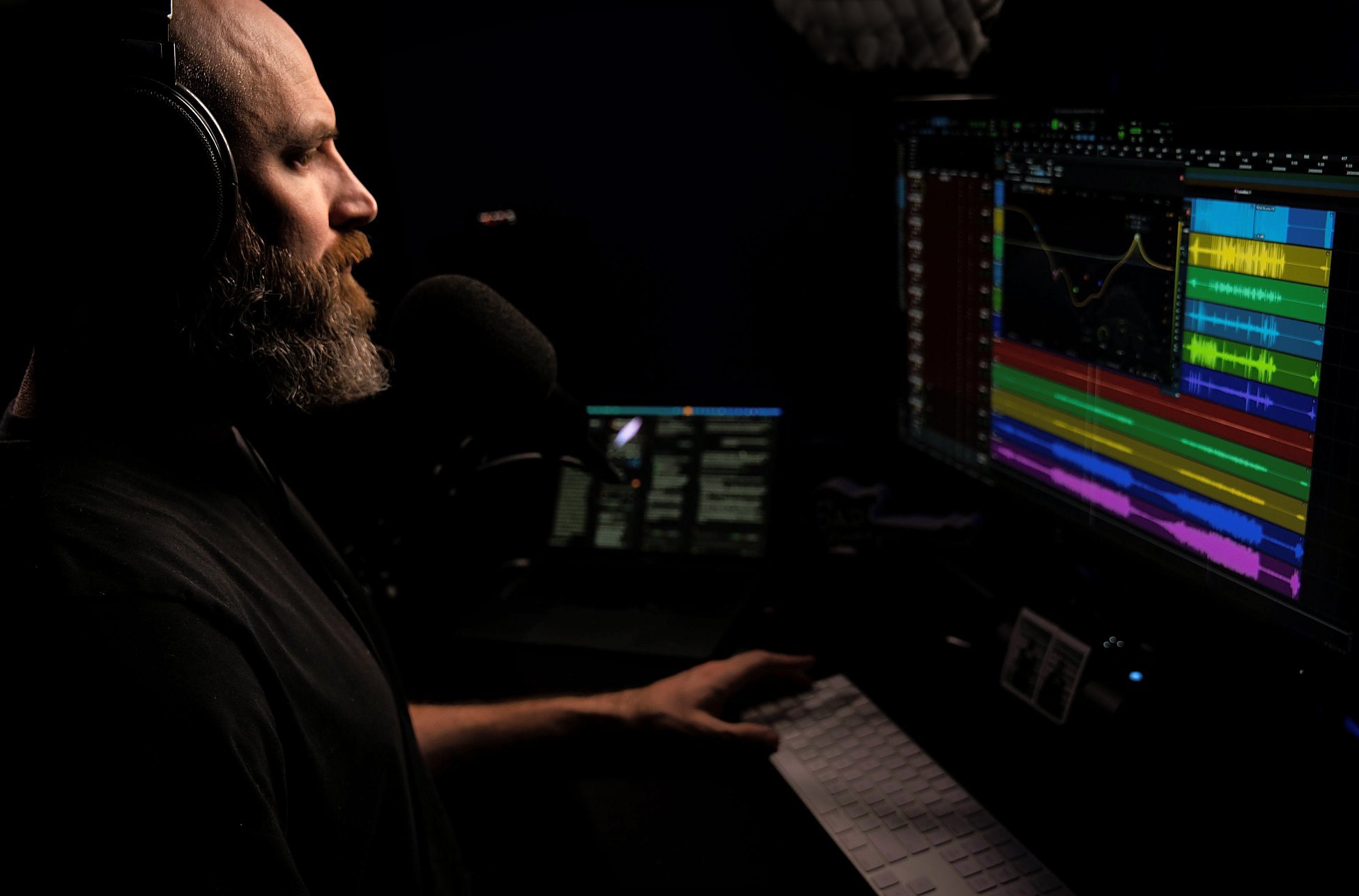
I’m a multi-platinum mix engineer, 20+ years behind the console on records past 8 billion combined streams. Teaching mixers since 2011.
I stepped away for a season. Life, health, all of it. When I came back, the prep tool I’d used on every session for years wouldn’t even open. And it forced a question I couldn’t ignore: why am I still spending the first hour of every mix doing work that doesn’t require my ears?
My very first course, back in 2011, was called The Mix Prep Series. Gain staging. Session organization. Fifteen years later, the thing I was teaching became the thing I’m shipping. More than one piece of it got built on the way back from a health setback. It’s live, it works, and God is good.
3x Grammy nominee, asked on the Made It In Music podcast to name one YouTube channel for mixing
“There’s this guy, David Glenn. His stuff sounds really good. He’s one guy where it’s like, oh, this sounds good immediately.”
Doug Weier
3x Grammy nominated · 21 Billboard #1 singles
Chris Tomlin, MercyMe, Tauren Wells, Walker Hayes
“It was night and day different. Night and day. It was huge.”
After a Mixing Discipleship session.

“As the former lead singer of the Newsboys, I’ve had the privilege of working with some of the industry’s finest engineers and studio professionals. Without a doubt, David Glenn stands out as one of the best.”

“David Glenn is hands down the most talented engineer I’ve ever worked with. His attention to detail is unmatched, delivering a clear, polished, and professional sound that makes your music stand out.”

“Man, I’ve been watching David Glenn for at least the last maybe 10 years possibly and been wanting to work with him. And got to do a single with him and what an amazing detailed mix that I received. From him paying attention to details to making sure I’m comfortable, I’m happy, it was an amazing experience. If you don’t work with David Glenn, you’re missing out.”
Darius SeayProducer · MusicianProduced Stop By Here by Larry Hurston, the free song you can prepQuestions
Anything I didn’t answer here? Email me at david@themixacademy.com. I read every one.
Leave your first name and email. Your trial code and the download come straight to your inbox. Pick one of the three free songs and MIXPrep downloads it for you. Your 7 days start the first time you Process a session. No card. Ready to keep it? Every plan starts now, with a 30-day money-back guarantee.
Nothing is charged. MIXPrep Free keeps working: it processes up to 16 tracks a run, and every file you already made stays untouched. Pick a plan whenever you want the whole thing back.
The whole prep engine with no track limit, Match My Mix and Send to DAW. The three free songs come with my mixes, so you can hear where I took each one.
MIXPrep runs on your Mac. Start the trial on your phone and your code and the download will be waiting in your inbox when you sit down at the Mac.
No. MIXPrep works on organized copies, never your originals, and session prep runs on your Mac. When AI naming is on, only the file names go out. Anonymous crash reports help me fix bugs, and you can switch them off in Settings.
Every DAW. MIXPrep preps the session, so the files land named, sorted and leveled in whatever you mix in. Logic, Cubase and Studio One also get an AAF session file, and REAPER its own native session. Send to DAW drops it straight into your Pro Tools session, with more DAWs on the way.
WAV, AIFF, FLAC and MP3, any sample rate and bit depth. Drop a folder or a .zip and MIXPrep unpacks it for you.
Mac today, with Apple Silicon (M1 or newer). Windows is on the way. The current MIXPrep doesn’t run on Intel Macs. Already own MIXPrep on an Intel Mac? The version you have stays yours.
Yes. Your license covers 3 activations: the studio Mac, the laptop and one more. Replacing a machine? Email support@themixacademy.com and we’ll free one up.
Prep runs offline on your Mac. MIXPrep goes online to activate, and now and then to confirm your plan.
Yes. MIXPrep is code-signed and notarized with Apple, so most Macs open it without a warning. If you ever see one, email support@themixacademy.com and we’ll walk you through it.
Not fully yet, and I’d rather tell you that than pretend. We’re working through VoiceOver, keyboard navigation and contrast. If you rely on assistive technology, email me before you start and I’ll tell you exactly where it stands.
Only how you pay. Every plan is all of MIXPrep. Annual works out to $12.42 a month at the founding price, locked for as long as you stay. Founding prices end Sunday, October 18 at 11:59pm PT.Annual works out to $16.58 a month. Lifetime is one payment, and it’s yours for life.
Early access to the tools I’m still building: MIXRef, MIXBrief and MIXNotes. Every plan includes it. Turn on Labs in Settings, then reopen MIXPrep. They’re in the works, so expect rough edges and tell me what you hit. When each one is finished, it stays in your plan at the price you already pay.
It’s still yours, nothing changes. If you want to move up, email support@themixacademy.com.
If you open session folders for a living, yes: mix engineers doing a couple of sessions a week, freelancers juggling folders from different artists and studios, and producers who mix their own work. Any genre. If your problem is the mix itself, start with the free Headphone Mixing Blueprint instead.
Start tonight · 30-day money-back guarantee
Drop in Stop By Here, or a session of your own, and open a session that’s ready to mix.
Not ready to buy? Start your free 7-day trial. No card.